
Reviews
Naval Command: Fleet Strategy is a well-crafted digital version of a classic naval game. Its clear visuals and simple controls make it accessible for all ages. The strategic depth comes from arranging ships and using logical deduction to find opponents. Quick play mode is great for short breaks. A solid choice for family game time.
About this game
Game Introduction
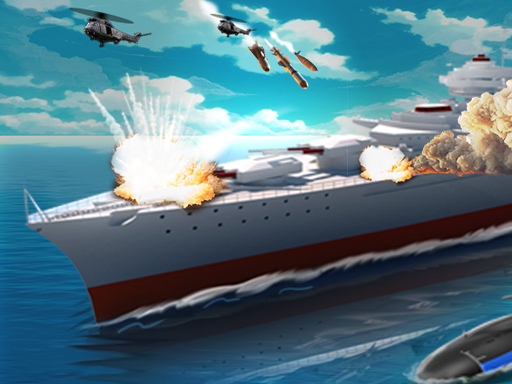
Naval Command: Fleet Strategy is a digital adaptation of a classic naval warfare board game, designed for quick and engaging play sessions. Players command a fleet of ships, from small patrol boats to large battleships, and aim to outmaneuver their opponent by calling out coordinates and launching attacks. The game combines strategic planning with the thrill of competition, making it suitable for all ages. Its clean visuals and simple controls ensure an accessible experience for both newcomers and seasoned players. The core objective is to locate and defeat the opponent's entire fleet before they do the same to yours, requiring logical deduction and careful decision-making.
How to Play
To play, start by arranging your ships on a grid in any pattern you choose. Once both players are ready, take turns selecting coordinates on the opponent's grid to attempt a hit. A successful hit is marked on the targeted cell, and you must hit all parts of a ship to sink it. The game ends when one player's entire fleet is defeated. Use logical deduction to find enemy ships quickly, as a miss can shift the advantage. The interface clearly tracks hits and misses, allowing you to focus on strategy. The game is designed for quick play sessions and is safe for all ages, making it a good choice for family game time.
Game Features
Naval Command: Fleet Strategy offers strategic gameplay that challenges players to outthink their opponents. It includes exciting competition that keeps each match engaging. The game features clear visuals and intuitive controls, making it easy to pick up and play. Players can customize their fleet arrangements, adding variety to each session. A quick play mode is available for fast matches, perfect for short breaks or longer sessions. The interface tracks hits and misses clearly, helping players focus on their strategy without confusion. These features combine to create an engaging and accessible naval warfare experience.
Tips for Success
To succeed in Naval Command: Fleet Strategy, practice logical deduction by using patterns to locate enemy ships efficiently. Avoid clustering your ships together, as this makes them easier to find. Keep track of your opponent's moves to anticipate their strategy. Use a systematic approach when selecting coordinates to cover the grid methodically. Stay calm and adapt your tactics based on hits and misses. Regular play will help you recognize common ship placements and improve your decision-making speed. Remember that patience and careful planning often lead to victory in this game of strategy.


Comments
Sign in to leave a review
No account? Create one
No comments yet.