
Reviews
BlockCraft Playground Designer offers a refreshing take on sandbox creation, focusing on simplicity and fun. The block-based building system is intuitive, allowing players to quickly construct diverse environments. The variety of game modes keeps each project engaging, whether you are designing a race course or a peaceful exploration area. Character customization adds a personal touch, and the spectator mode is a clever way to test your designs. The community features, including leaderboards and safe chat, enhance replayability without compromising safety. It is a solid choice for families and creative players.
About this game
Building Your Own World
BlockCraft Playground Designer puts you in charge of constructing interactive spaces from the ground up. Using a palette of colorful blocks, you can stack, arrange, and shape platforms, walls, and paths to create unique environments. The builder mode offers straightforward controls, making it easy for newcomers to start placing blocks immediately. More experienced creators can experiment with different block combinations to produce varied layouts, from simple courses to complex structures. The focus is on creativity and experimentation, allowing you to see how each block placement affects the overall design.
Game Modes and Objectives
Each creation begins with selecting a game type that sets the goal for your level. You can design a race track where characters compete to reach a finish line, a puzzle area that requires careful navigation, or a free exploration zone where characters roam at their own pace. The chosen mode influences how blocks are arranged and where spawn points are placed. This variety ensures that each project feels distinct, whether you are building a fast-paced challenge or a relaxed environment for characters to enjoy.
Characters and Customization
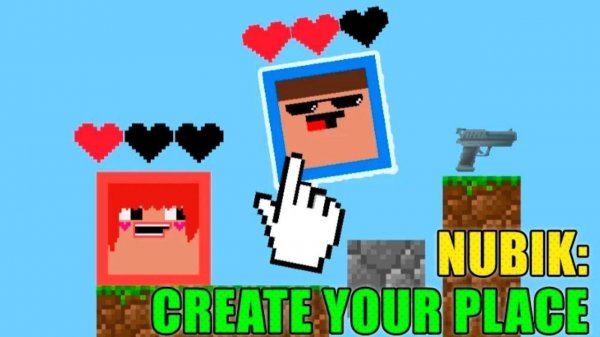
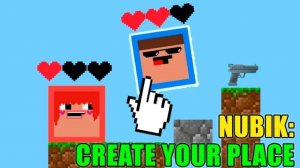
Once your world is built, you place spawn points that determine where the Nubik characters appear. These cute, friendly characters then populate your creation and interact with the environment. You can customize their appearance with different skins, adding a personal touch to each play session. The characters move autonomously in spectator mode, giving you a chance to see how your design functions without direct input. This feature is especially useful for testing the flow and balance of your level.
Sharing and Community Features
BlockCraft Playground Designer includes options to share your completed worlds with others. An achievements system tracks your progress as you build and refine levels. Global leaderboards let you compare your creations against those from other designers, offering inspiration and friendly competition. A safe chat system enables communication while keeping interactions family-friendly. You can also invite a friend to play cooperatively or competitively, adding a social element to the building experience.
Tips for Building Better Levels
To improve your designs, try combining different block types to see how they change gameplay. Test your level frequently during construction to ensure it remains fun and balanced. The placement of spawn points is important, as it influences how characters move through the space. Looking at levels created by others can provide new ideas and techniques. Regular iteration and refinement help turn a simple idea into a polished, engaging experience.





Comments
Sign in to leave a review
No account? Create one
No comments yet.