
Reviews
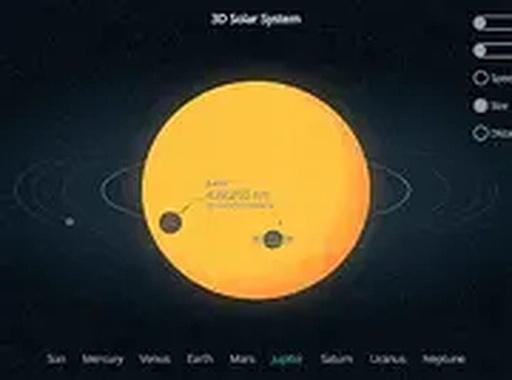
Solar System Explorer succeeds by focusing on a few core features done well. The ability to switch between 3D and 2D perspectives gives users a flexible way to understand orbital paths and planet positions. The speed control is a standout, letting you slow down to follow a single planet or speed up to see the system's rhythm. The side-by-side comparison of planet sizes and distances addresses a common gap in astronomy education. The interface is straightforward and works smoothly on mobile devices. While it doesn't offer deep textual information, its strength lies in visual, interactive learning. This is a solid resource for classrooms, curious kids, or anyone wanting a clearer mental model of our solar system.
About this game
Visualizing Planetary Motion
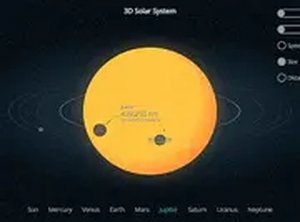
The core experience centers on observing how planets move around the sun. Users can select between a three-dimensional view that shows the orbital paths in space or a two-dimensional layout that flattens the system for easier comprehension. This dual-perspective approach helps build a clearer understanding of orbital mechanics and the relative positions of each planet at any given time.
Adjustable Simulation Speed
A slider control allows users to increase or decrease the rate at which planets complete their orbits. Slowing the simulation makes it easier to follow individual planets over time, while a faster speed reveals the overall rhythm of the solar system. This flexibility accommodates both casual browsing and more focused study sessions.
Comparing Planet Sizes and Distances
A dedicated side-by-side view places planets next to each other for direct comparison of their diameters and the gaps between their orbits. This feature addresses a common challenge in astronomy education: grasping the vast differences in scale within the solar system. The visual representation makes abstract numbers more tangible.
Accessible Design for All Ages
The interface is built for straightforward navigation on desktop computers, tablets, and phones. Clicking or tapping on any planet brings up basic information about that world. Full-screen mode removes distractions for a more focused experience. No registration or installation is required, making it easy to start exploring immediately.



Comments
Sign in to leave a review
No account? Create one
No comments yet.