
Reviews
Shape Craft Runner Challenge succeeds by pairing simple one-button gameplay with a surprisingly deep level editor. The auto-scrolling cube keeps each run tense, as players must react quickly to hazards. The editor is intuitive and allows for creative course building. The clean visual style helps readability. While the core loop is straightforward, the ability to design and test custom courses gives the game lasting appeal. It is a solid choice for fans of puzzle-platformers who enjoy both playing and building.
About this game
Core Gameplay Flow
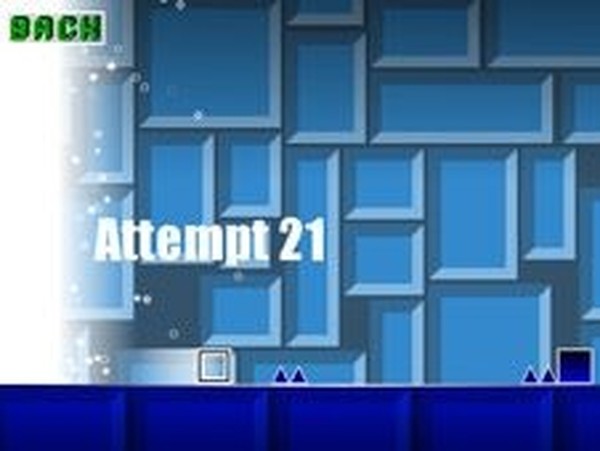
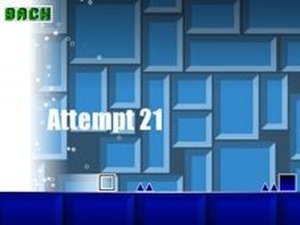
In Shape Craft Runner Challenge, players control a cube that moves forward on its own through a series of geometric platforms. The primary action is jumping at the right moment to land on safe surfaces while avoiding hazards that end the run. Each successful jump past a dangerous shape adds to the player's score. The game combines quick reflexes with spatial awareness, as players must judge distances and timing to progress through increasingly complex arrangements.
Creative Course Construction
A standout feature is the level editor, which gives players the tools to place geometric blocks anywhere on the track. Using a simple drag-and-drop interface, you can build custom paths with platforms, gaps, and obstacles. After designing a course, you can immediately test it by playing through your creation. This system encourages experimentation and allows for endless variety, as no two player-built courses need to be the same.
Visual Style and Feedback
The game uses bright, solid colors for its geometric shapes, making each element easy to distinguish at a glance. Safe platforms appear in one color, while hazards are clearly marked with a different hue. The clean visual design helps players focus on timing and positioning without distraction. Each successful jump and obstacle cleared provides immediate visual and score-based feedback, reinforcing progress.
Progression and Replay Value
Because the cube moves automatically, each session focuses on moment-to-moment decision-making. Players can replay courses to improve their scores or attempt to clear more obstacles in a single run. The level editor adds long-term replay value, as players can create increasingly difficult courses for themselves or share designs with others. The combination of reflex-based play and creative construction gives the game two distinct modes of engagement.




Comments
Sign in to leave a review
No account? Create one
No comments yet.